Local SEO: How to Get Your Business on Google Maps
Claim your free profile, fix your details everywhere, earn real reviews and build location pages. A step-by-step plan for the map pack.
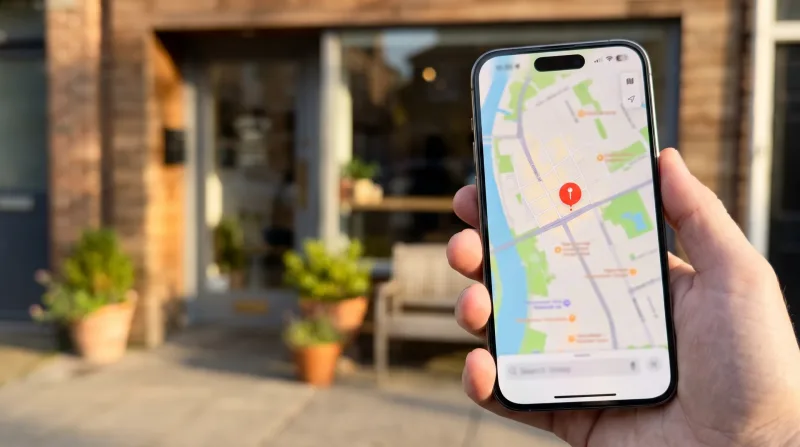
The short answer: Local SEO is how you get your business to show up in Google Maps and the "local pack" when nearby customers search. Claim and verify your free Google Business Profile, fill in every field accurately, choose the right primary category, keep your name, address and phone number identical everywhere online, collect genuine reviews steadily, and build location pages on your website. Most businesses see results within one to three months.
What is local SEO?
Local SEO (search engine optimization) is the work of making a business visible in searches with local intent, such as "plumber near me", "accountant in Austin" or "best biryani Hyderabad". These searches show a map with three highlighted businesses, called the local pack, above the normal results. Appearing there brings calls, direction requests and walk-ins.
Why it matters: people searching locally are usually ready to buy. A customer who searches "emergency electrician" is not browsing; they will call one of the first few businesses they see.
How Google ranks local businesses
Google's own help pages describe three main factors:
- Relevance: how well your profile matches what the person searched for.
- Distance: how far your business is from the searcher or the location in the search.
- Prominence: how well known your business is, based on reviews, links, articles and your general web presence.
You cannot change distance, but you can improve relevance and prominence. Google also states that you cannot pay to rank higher in local results.
Step 1: Claim and verify your Google Business Profile
- Go to google.com/business and sign in with a business Google account (not a personal one you might lose).
- Search for your business. If it exists, claim it; if not, create it.
- Choose whether customers visit you (storefront) or you visit them (service-area business). Service-area businesses can hide their address.
- Verify ownership. Google may use a video recording, phone, text, email or postcard, depending on your business.
Protect the account with two-factor authentication; hijacked business profiles are a common scam. Our guide to two-factor authentication for business explains how.
Step 2: Complete every field
- Business name: your real-world name only. Adding keywords such as "Best Plumber Dallas" breaks the guidelines and can get the profile suspended.
- Primary category: the most important relevance signal. Pick the most specific one ("Italian restaurant", not "Restaurant"), then add a few secondary categories.
- Hours: including holiday hours. Wrong hours lead to angry reviews.
- Services and products: list each with a short description and price where possible.
- Description: 750 characters on what you do, who you serve and what makes you different.
- Photos: real photos of the exterior, interior, team and work. Add new ones monthly.
- Website and booking links: link to the most relevant page, such as a location page.
Step 3: Keep NAP consistent everywhere
NAP means name, address and phone number. Use exactly the same format on your website, Google, Apple Maps, Bing Places, Facebook, Yelp, industry directories and local chamber listings. Inconsistent details, such as an old phone number on one directory, confuse both customers and search engines.
| Listing | Why it matters |
|---|---|
| Google Business Profile | Google Search and Maps |
| Apple Business Connect | Apple Maps and Siri on iPhones |
| Bing Places | Bing, and AI assistants that use Bing |
| Facebook and Instagram | Social discovery and reviews |
| Industry directories | Trust and referral traffic in your niche |
Step 4: Earn reviews the right way
Reviews influence prominence and are often the deciding factor for customers comparing three businesses in the local pack.
- Ask every happy customer, right after the job, with a direct review link or QR code.
- Reply to every review, positive and negative, politely and within a few days.
- Never pay for reviews, offer discounts in exchange, or post fake ones. Google removes them and may restrict your profile, and the US FTC can fine businesses for fake reviews.
- Do not "gate" reviews by only asking customers you think are happy.
Yes, but: a steady flow of recent reviews beats a burst of fifty in one week, which looks suspicious.
Step 5: Build local pages on your website
Your website supports your profile. Each main location or service area deserves its own page with the full address, a map, opening hours, services offered there, local photos and customer stories. Avoid near-identical "city pages" that swap only the town name; Google treats them as thin content.
Add LocalBusiness structured data (schema markup) with your NAP details, and make sure the site loads fast on phones. New to websites? Start with our small business website guide and our comparison of small business web hosting.
Step 6: Post updates and answer questions
Google Business Profile lets you publish posts for offers, events and news. Posts keep your profile fresh and give searchers a reason to choose you. Check the questions section too: anyone can ask or answer, so reply before a stranger gives a wrong answer.
Step 7: Earn local links and mentions
Prominence also comes from the wider web. Good sources include sponsoring local events or teams, joining your chamber of commerce, being quoted in local news, partnering with complementary businesses, and listing in reputable industry associations.
Track what is working
Google Business Profile shows how many people found you, called, asked for directions or visited your site. Review it monthly alongside Google Search Console for your website. Note which searches bring calls, then add those services to your profile and pages.
Common local SEO mistakes
- Keyword-stuffing the business name.
- Using a virtual office or PO box address, which Google does not allow for storefront listings.
- Creating duplicate profiles for the same location.
- Ignoring negative reviews.
- Letting an agency own your profile instead of adding them as a manager.
A 30-day local SEO plan
| Week | Tasks |
|---|---|
| Week 1 | Claim, verify and fully complete your Google Business Profile |
| Week 2 | Fix NAP on your website and the top five directories; claim Apple and Bing listings |
| Week 3 | Start asking every customer for a review; reply to existing reviews |
| Week 4 | Publish or improve your location page; add photos and your first post |
Local SEO for service-area businesses
Plumbers, cleaners, mobile mechanics and other businesses that travel to customers can hide their address and list up to 20 service areas instead. Choose the towns or postcodes you really serve rather than a whole state. Create a page on your website for each important area with genuine local detail: jobs you have done there, local photos, travel times and customer reviews from that area. These pages help you rank in normal search results even where you are too far away to appear in the map pack.
Local SEO for multi-location businesses
If you run several branches, each one needs its own verified Google Business Profile with its own phone number, hours and photos, and its own location page on your website. Keep the business name identical across all branches and manage them together in one Business Profile group. Ask for reviews at each location separately so every branch builds its own reputation.
Local SEO and AI assistants
More people now ask AI assistants and voice search for recommendations, such as "find a good dentist near me". These tools draw on the same signals: business listings, reviews, website content and consistent details across directories. Accurate profiles on Google, Apple and Bing, plus a clear website that answers common questions, help your business appear in these answers too. Make sure your site also captures leads well; a simple small business CRM keeps track of every call and enquiry your profile brings in.
The bottom line: Local SEO rewards accuracy and consistency more than tricks. Complete your Google Business Profile, keep your details identical everywhere, earn real reviews and support it all with a fast, helpful website, and you will steadily climb in Google Maps.
Frequently asked questions
Is a Google Business Profile free?
Yes. Creating and managing a Google Business Profile is free. Beware of callers claiming to be from Google who ask for payment to "verify" or rank your listing.
How long does local SEO take?
A complete, verified profile can start appearing within weeks. Climbing into the top three in a competitive area usually takes several months of steady reviews, content and links.
Can I rank in a city where I have no address?
Ranking in the map pack depends heavily on distance, so it is hard. Service-area businesses can list the areas they serve, and location pages on your website can rank in normal search results.
Do I need an agency for local SEO?
Not to start. Most of the work in this guide is simple enough for an owner to do. An agency can help in very competitive markets, but always keep ownership of your own profile.
Does posting on Google Business Profile help rankings?
Posts mainly help customers decide. They keep your profile looking active and useful, which can improve calls and clicks.
Sources
Spotted an error? Email info@nodelyf.com. See our corrections policy.